
Inside Marker North
Everything on your dash, free for every driver.
Take a look at what you get in ATS, and in ETS2 as a beta: a Hub that puts it all in one window, a map built from your own game, a tablet over your cab, a dispatcher you can talk to, and the paperwork that keeps score.
New in CAPS 0.1.49
One home for everything: the Hub
CAPS now opens to the Marker North Hub. Your load, your map, Shadow, your phone and your panels, all in one window on your PC.
-
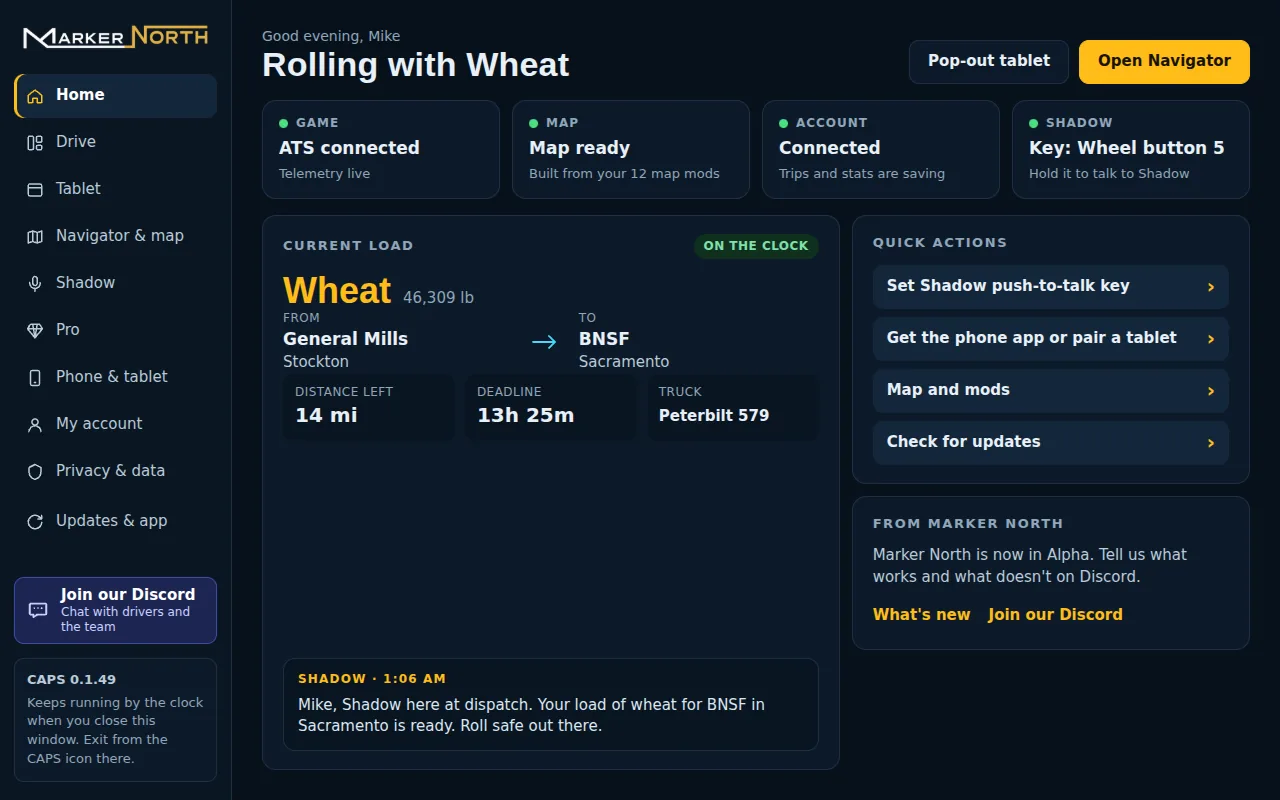
HomeYour load, your status and Shadow's last call the moment CAPS opens. -
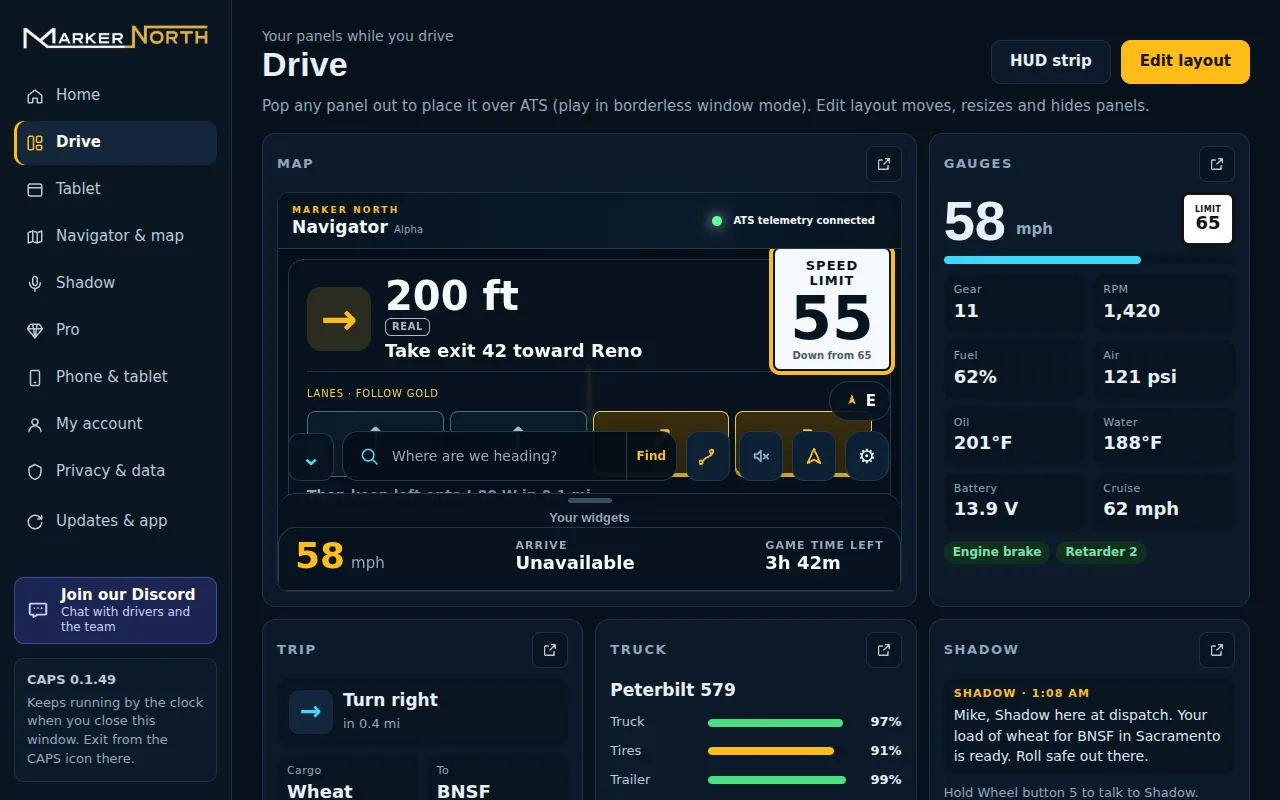
Drive panelsMap, gauges, trip, truck and Shadow. Pop any panel out over the game, or use the HUD strip. -
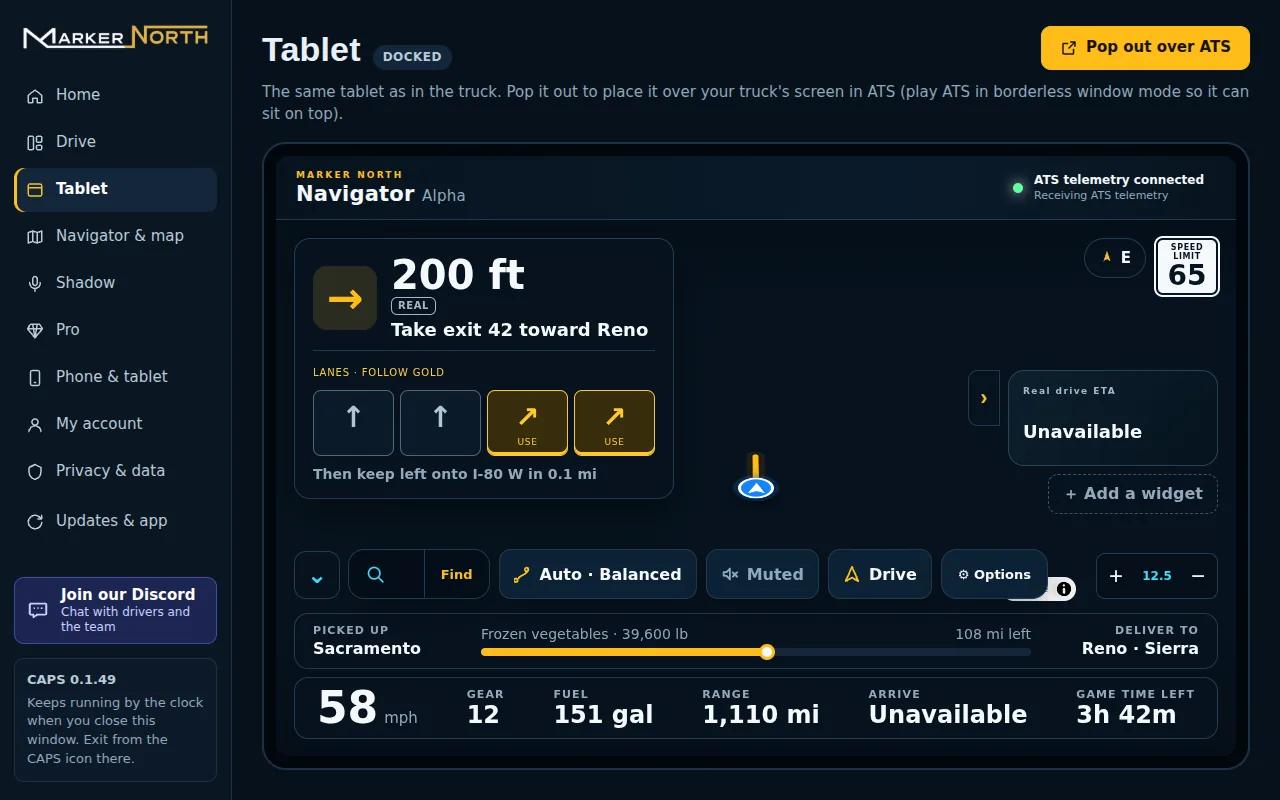
The tablet, docked or popped outThe same tablet as in the truck. Pop it out to sit over your truck's screen. -
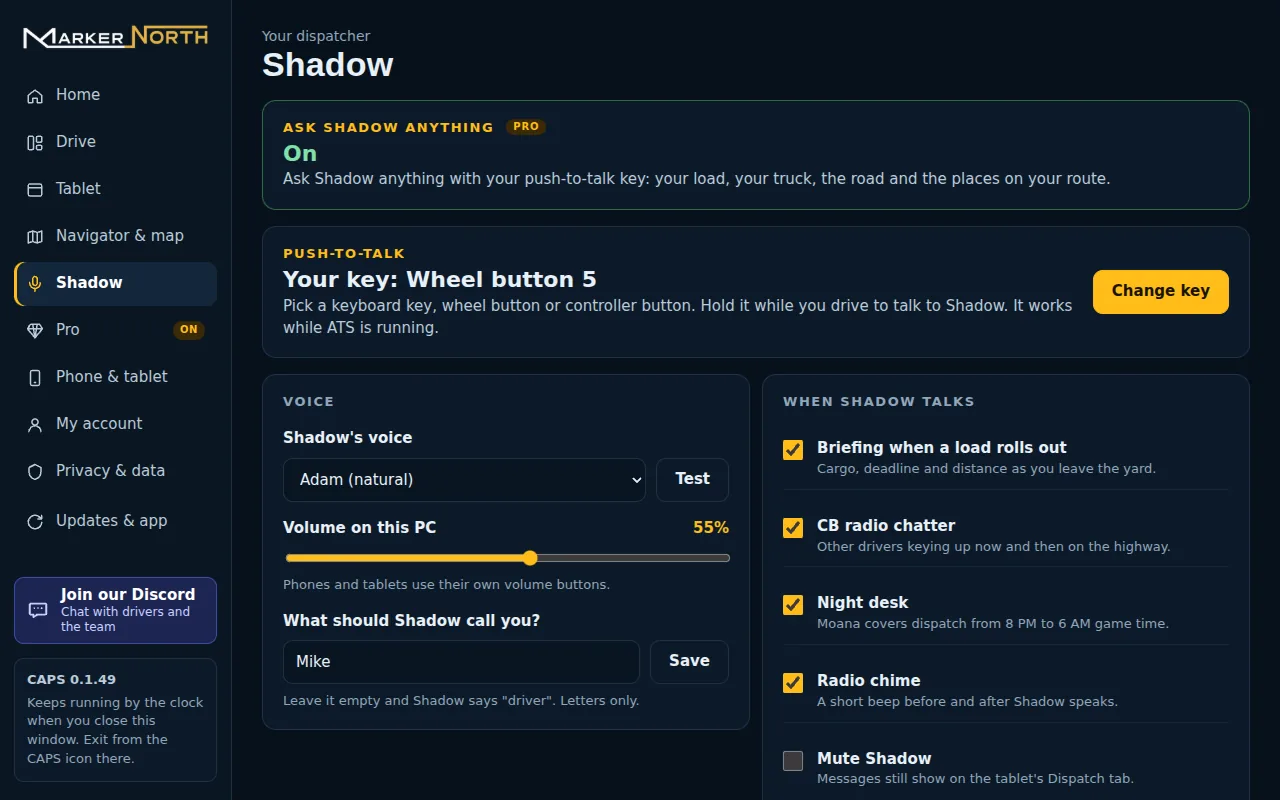
Shadow, your waySet your push-to-talk key, Shadow's voice and the name Shadow calls you. -
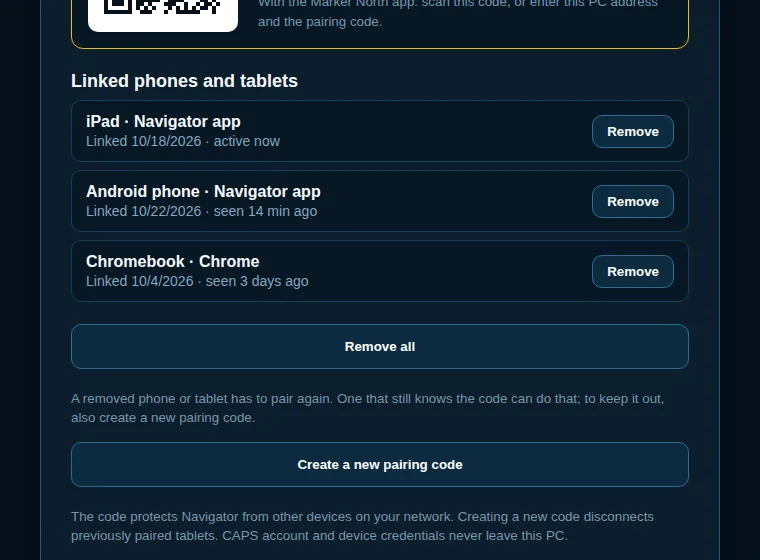
Linked phones and tabletsSee every phone and tablet that's linked, and remove any one of them. -
Also new in 0.1.49 Small things that make a long haul easier.
Navigator
A map built from your game
Navigator routes you on the roads you actually have, map mods included, with a turn card you can read at a glance.
-
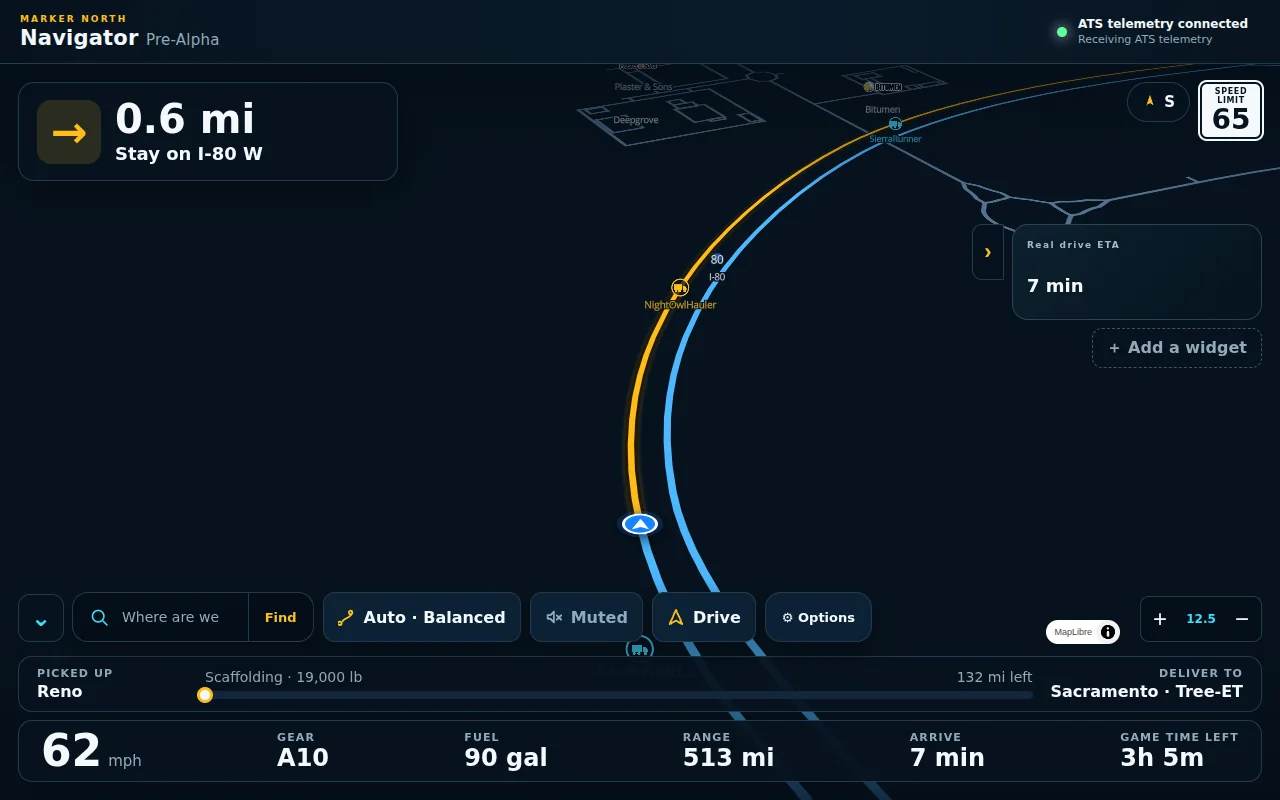
Drive viewNext turn, speed limit and your load, with the road ahead tilted into view. -
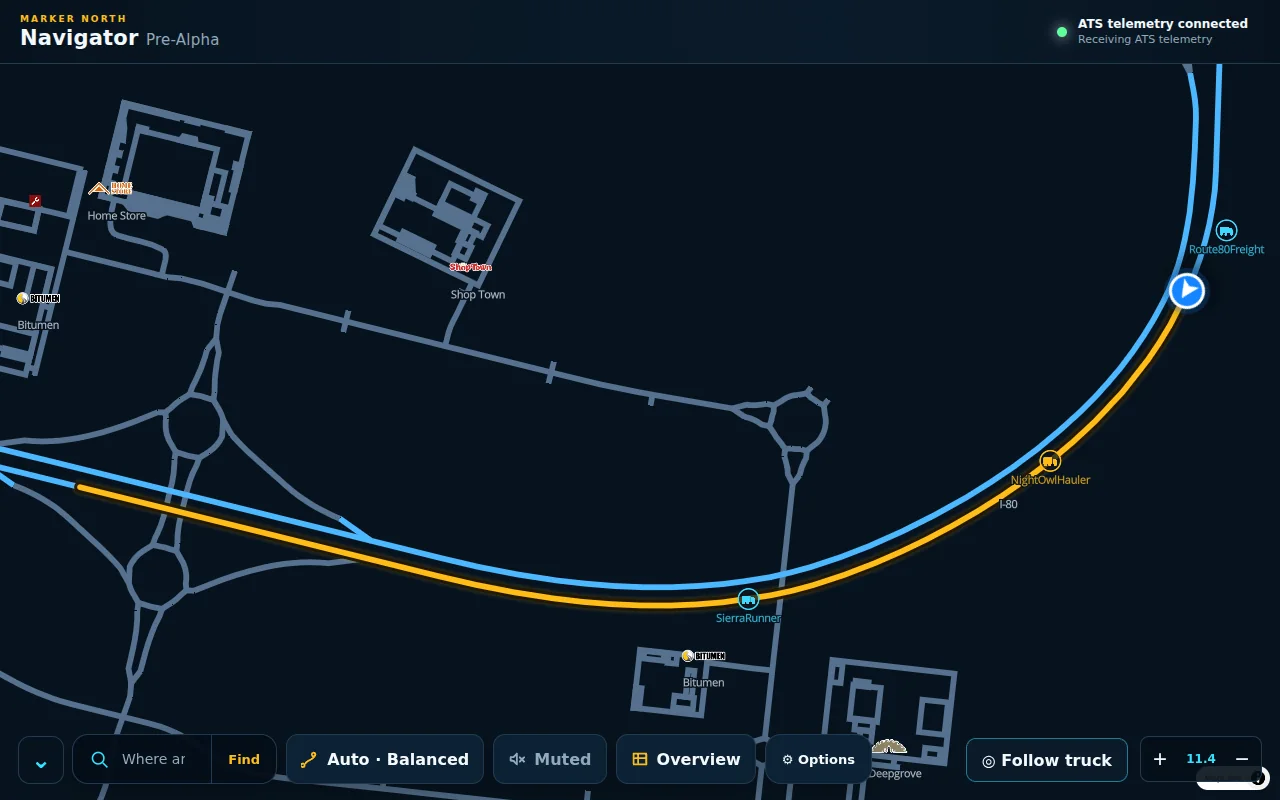
Route overviewThe whole route at once, north up, with companies and services along the way. -
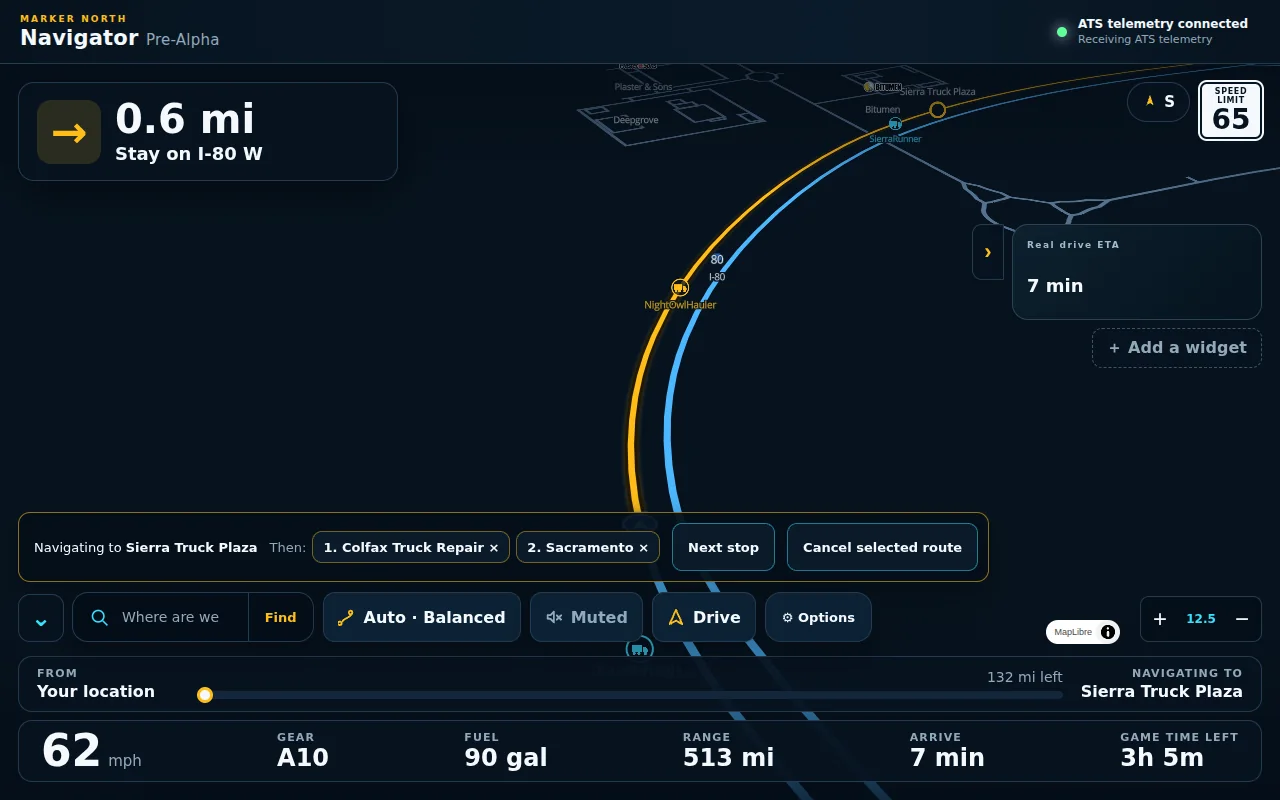
Multi-stop tripsAdd fuel or repair as stops; Navigator takes you on to the delivery after. -
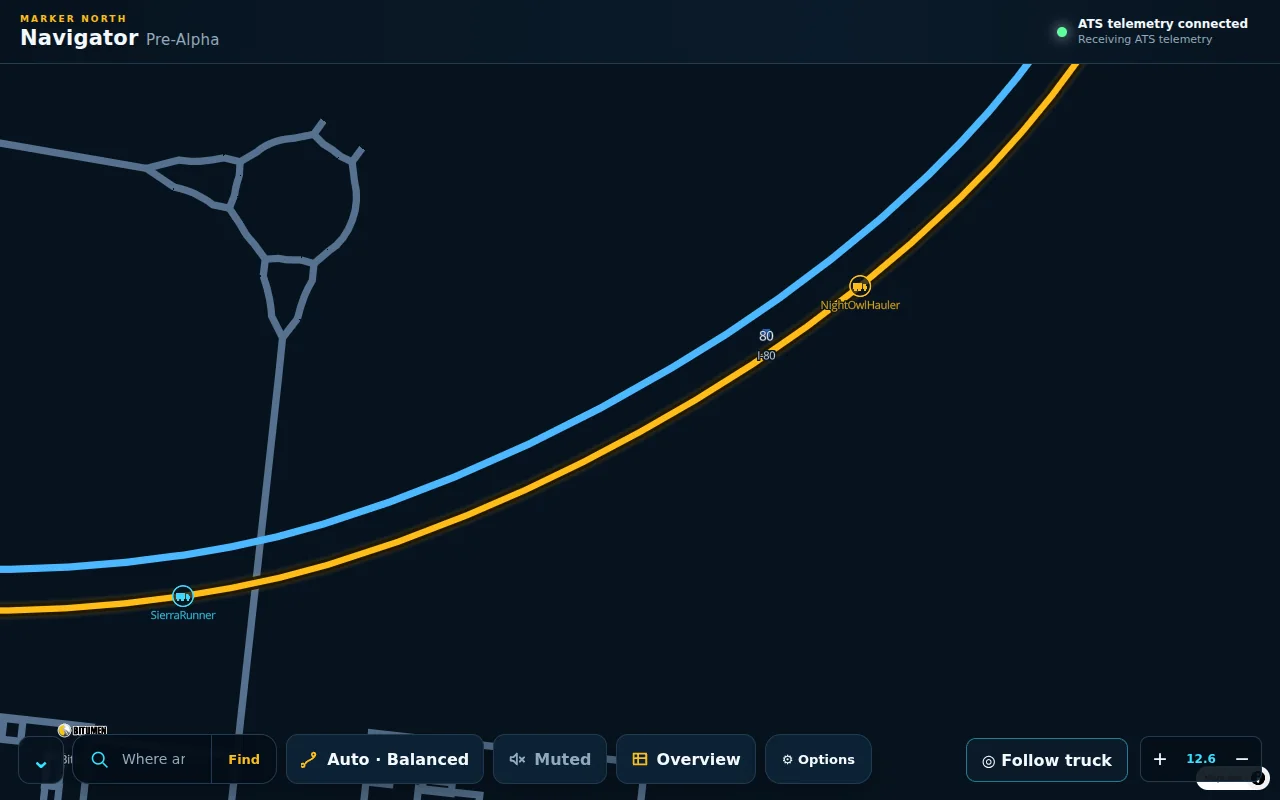
Convoy PulseSee other Marker North drivers who choose to share where they are. -
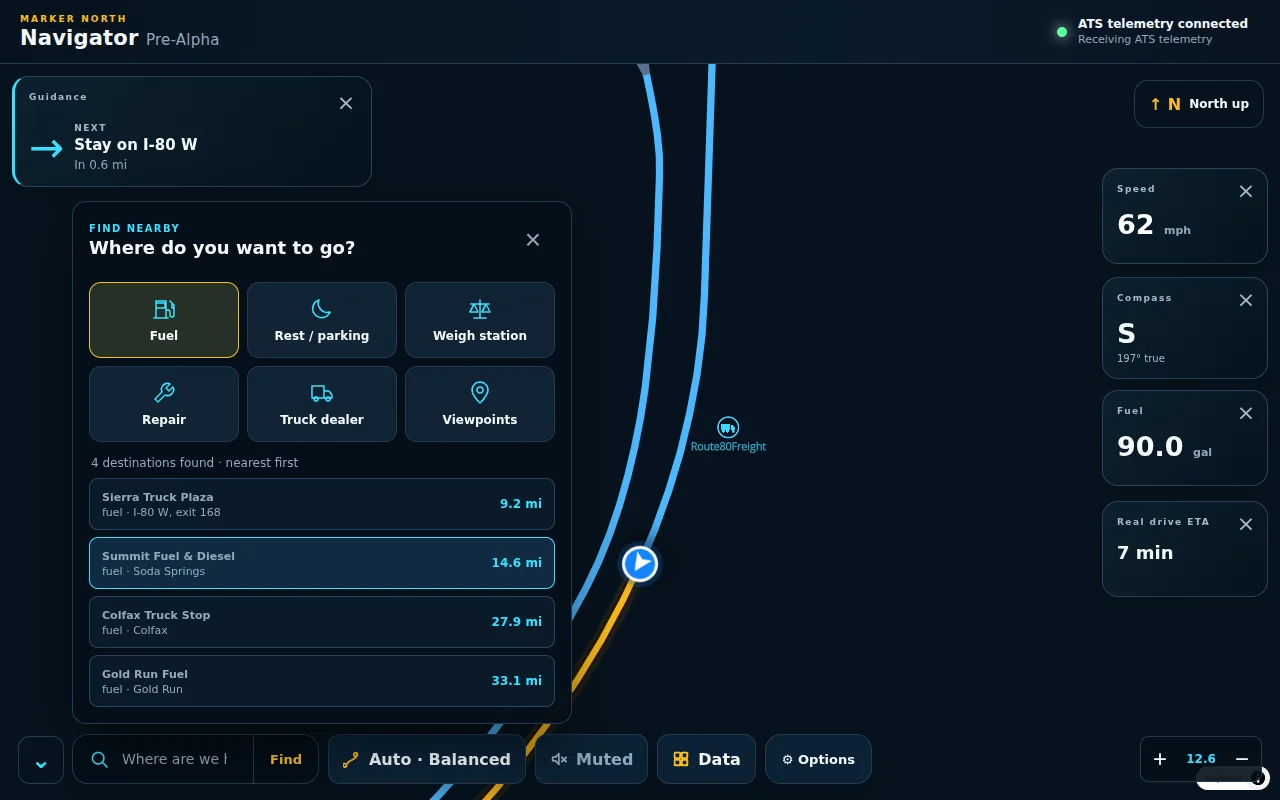
Find nearbyFuel, rest, weigh stations, repair and more, nearest first. Or type a place. -
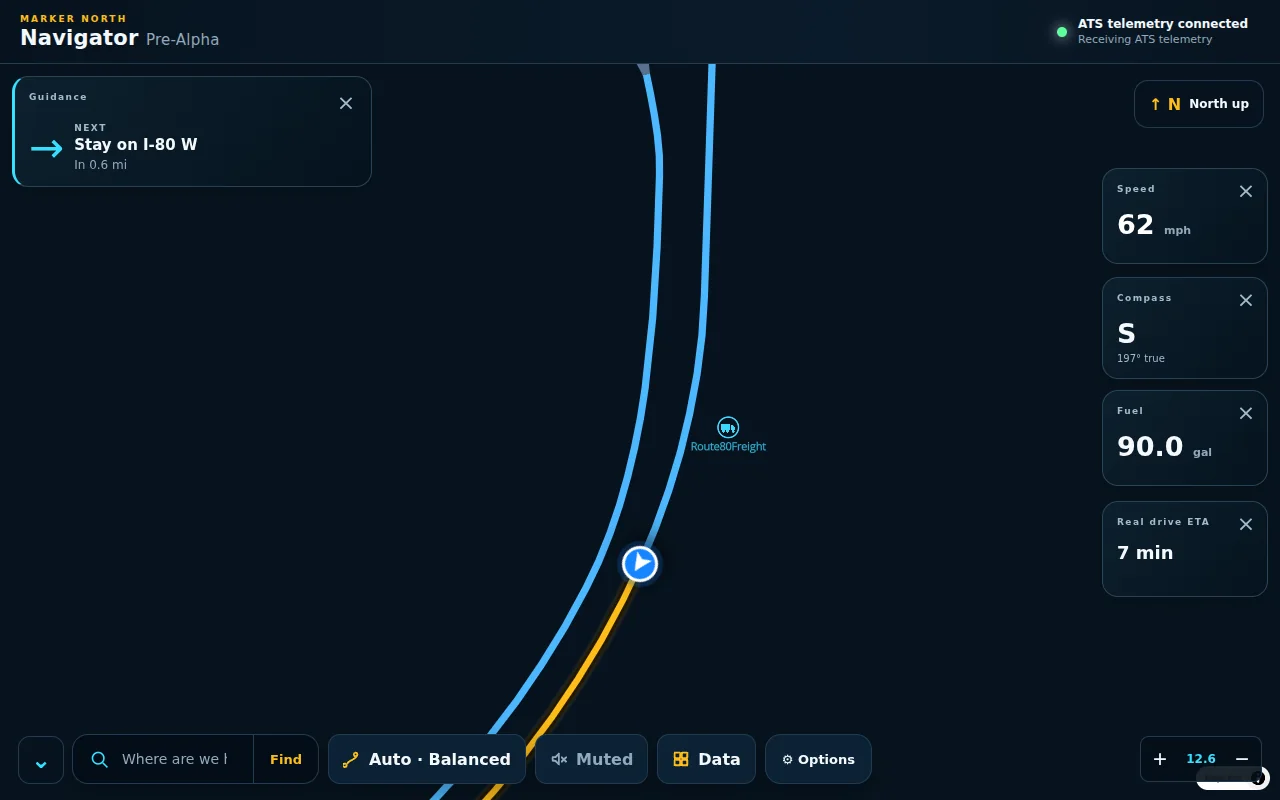
Widgets and optionsPick the numbers you want on screen, your route type, map look and voice.
The tablet
A tablet that sits on your dash
CAPS pops Navigator out as a tablet over the game, with a tab for everything on the load.
-
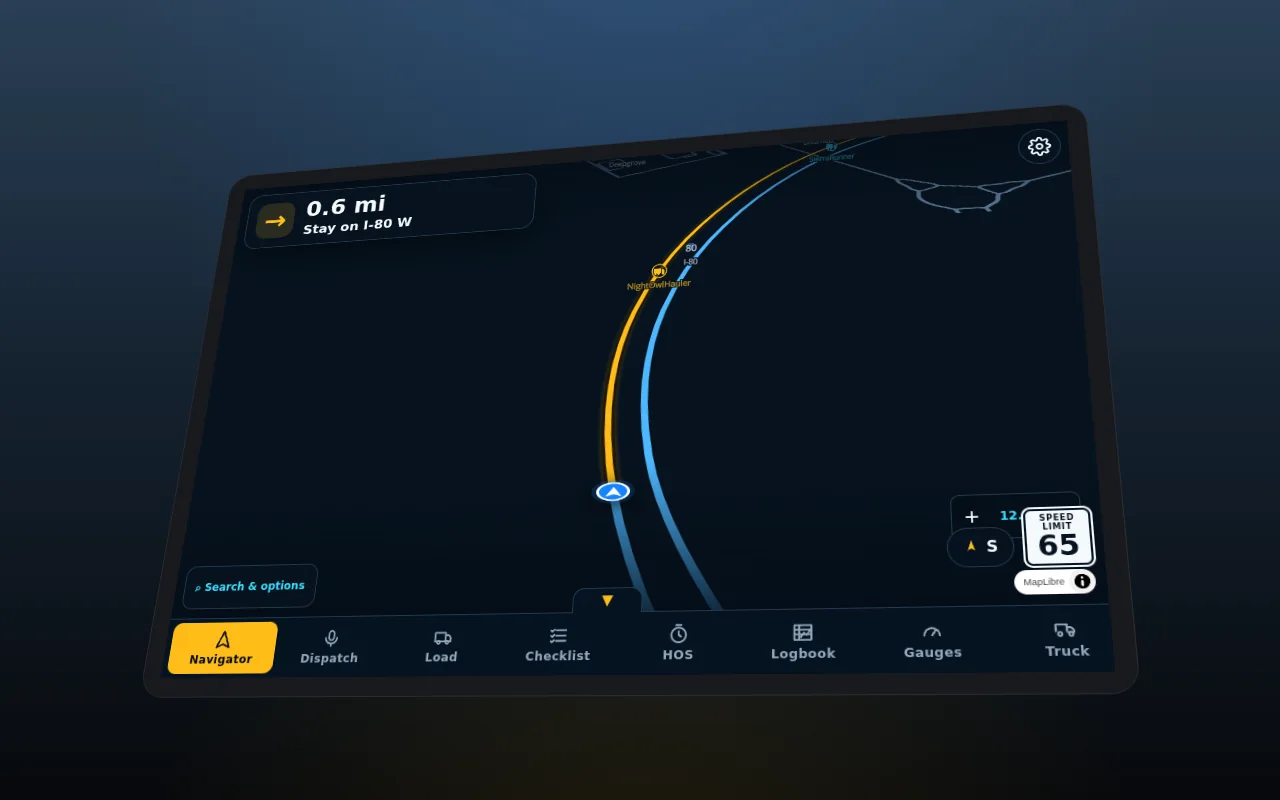
Tilt to fit the dashLean and turn the tablet until it lines up with the screen in your cab. -
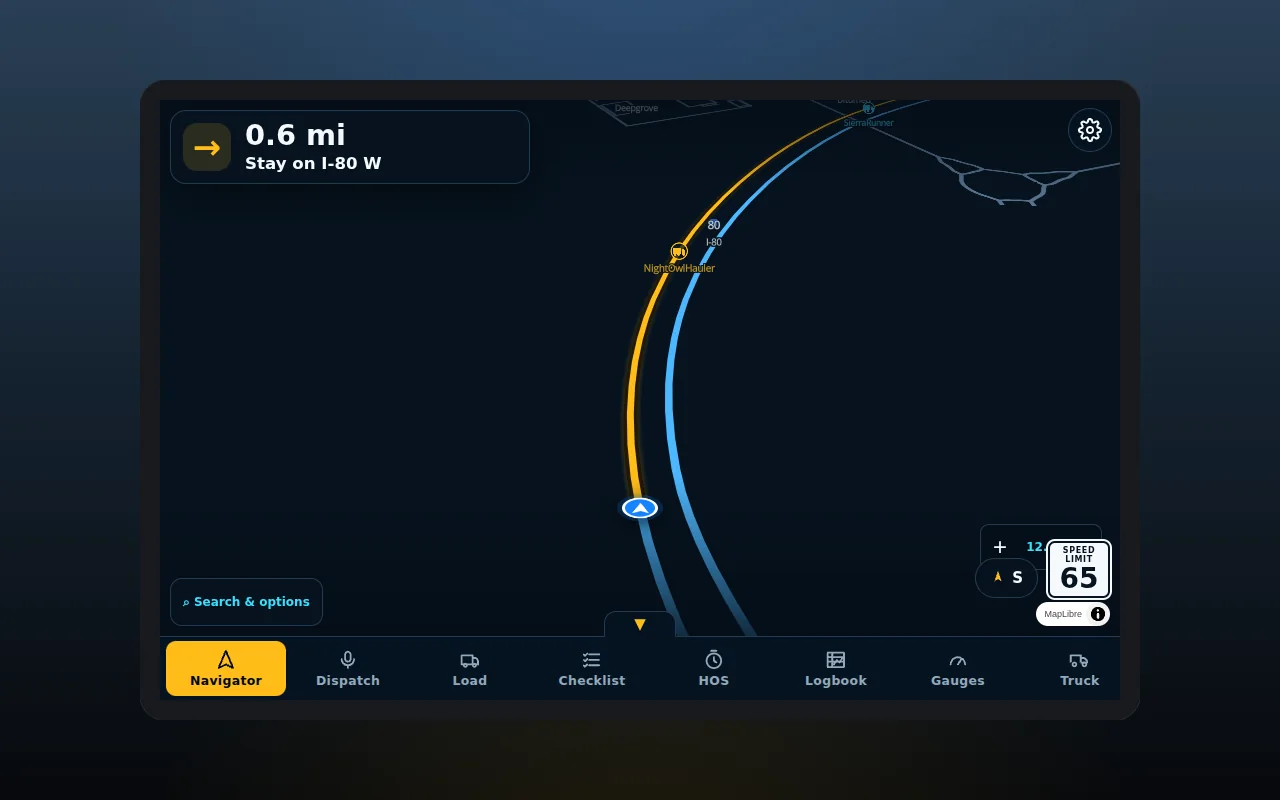
Pop-out tabletDrag the bezel over your truck's screen. F8 moves the mouse onto it. -
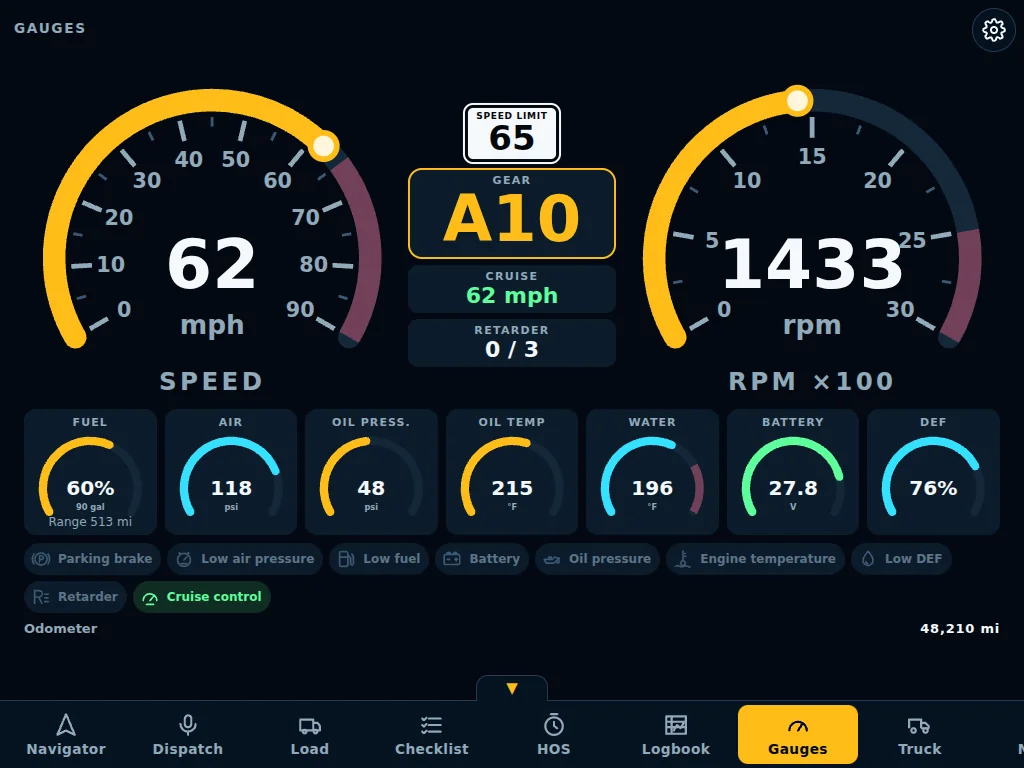
GaugesSpeed, rpm, air, oil, water, battery and warning lights. -
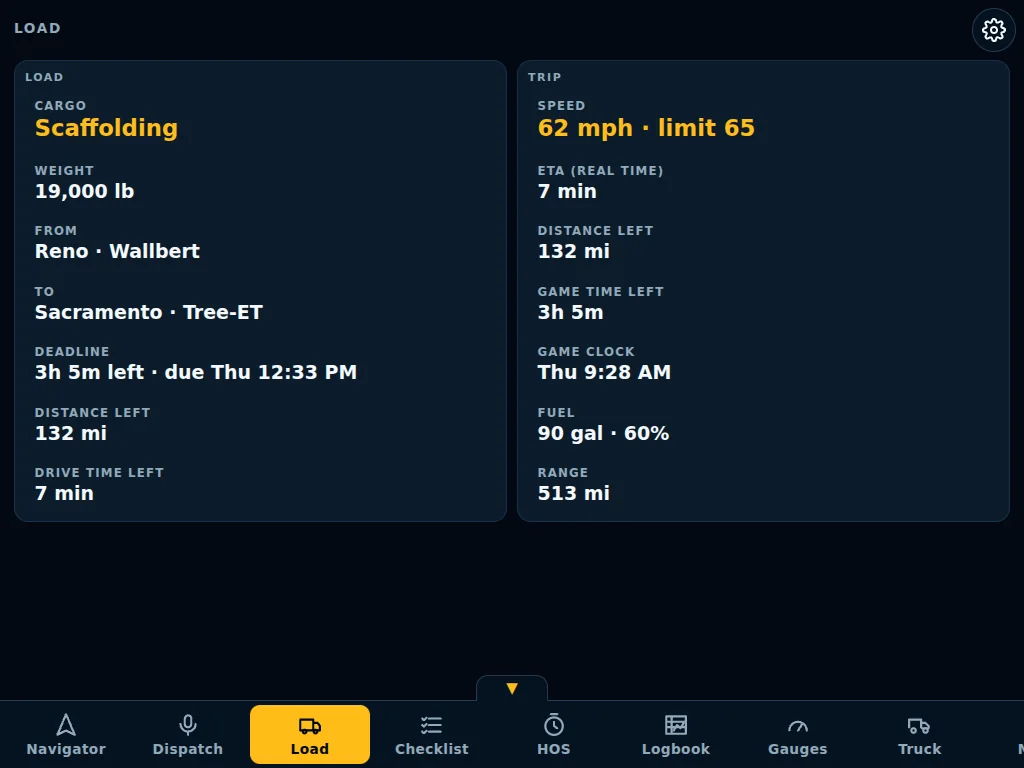
LoadCargo, weight, deadline, distance left and the game clock. -
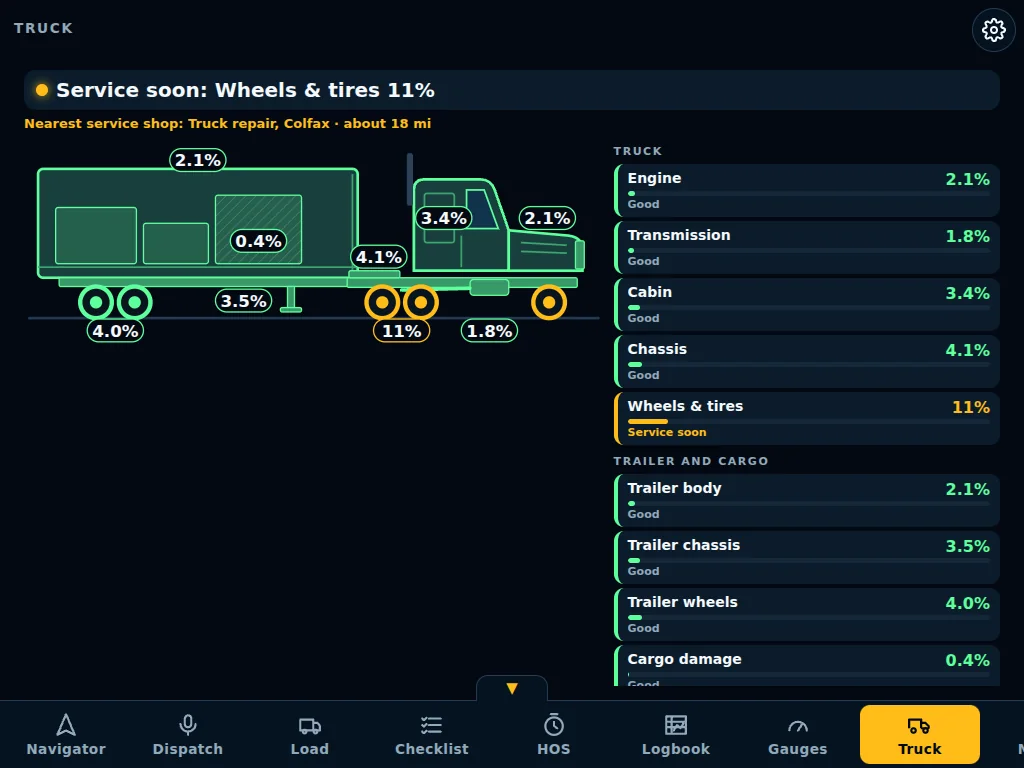
TruckWear on every part, with the nearest service shop when it's time. -
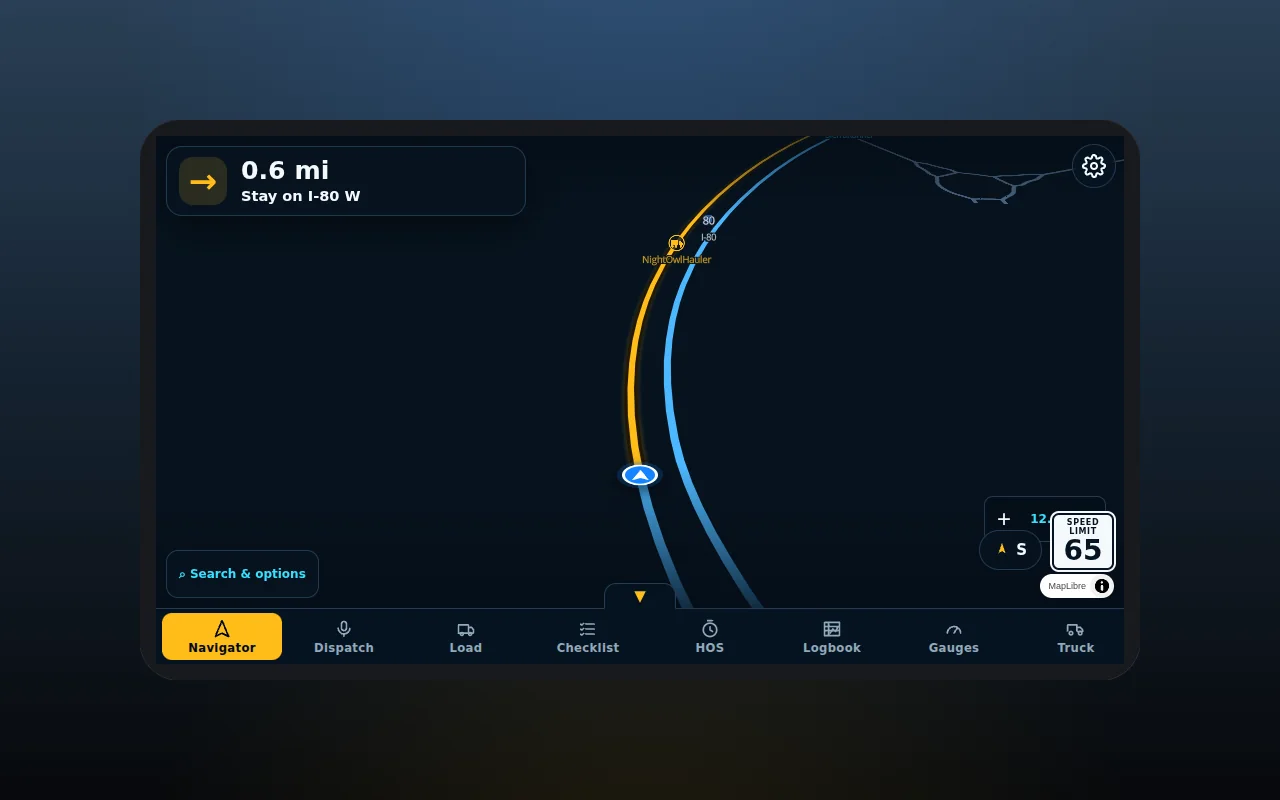
Choose a lookTablet, phone or plain window, to match the screen in your truck. -
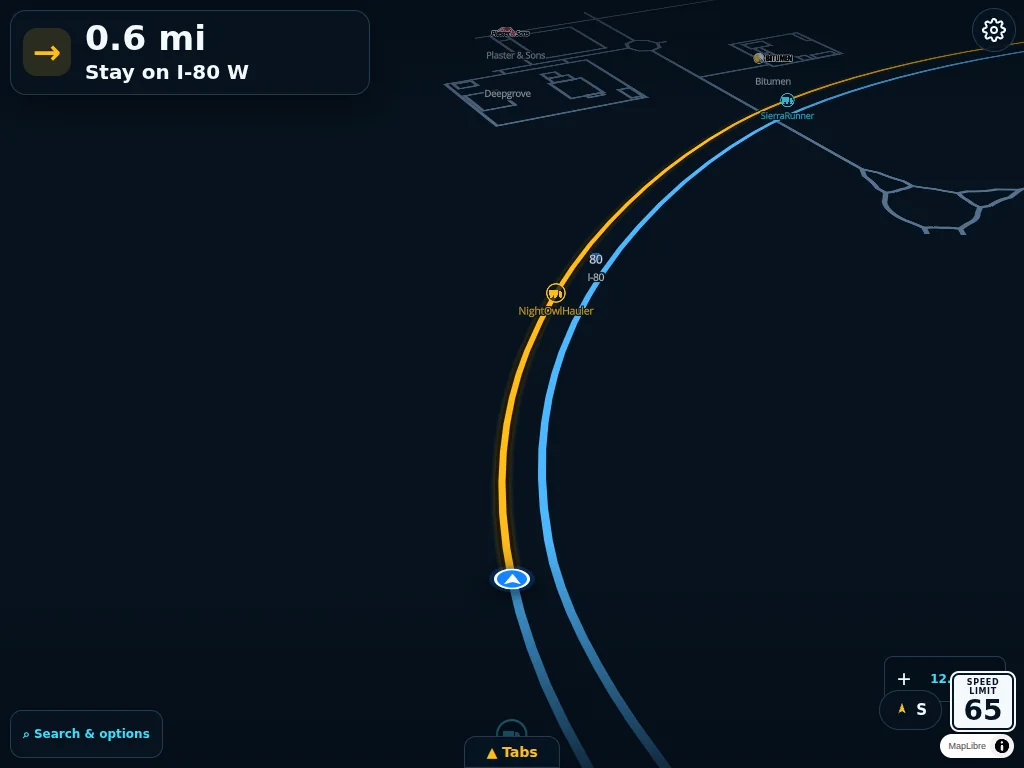
Hide the tab barGive the map the whole screen; a small handle brings the tabs back. -
Nine tabs, one tap away Everything for the load in one place. Switch off the tabs you don't use.
Shadow, your dispatcher
Ask out loud. Shadow answers.
Hold your push-to-talk key, ask, let go. Shadow answers from your live game in a natural voice.
-
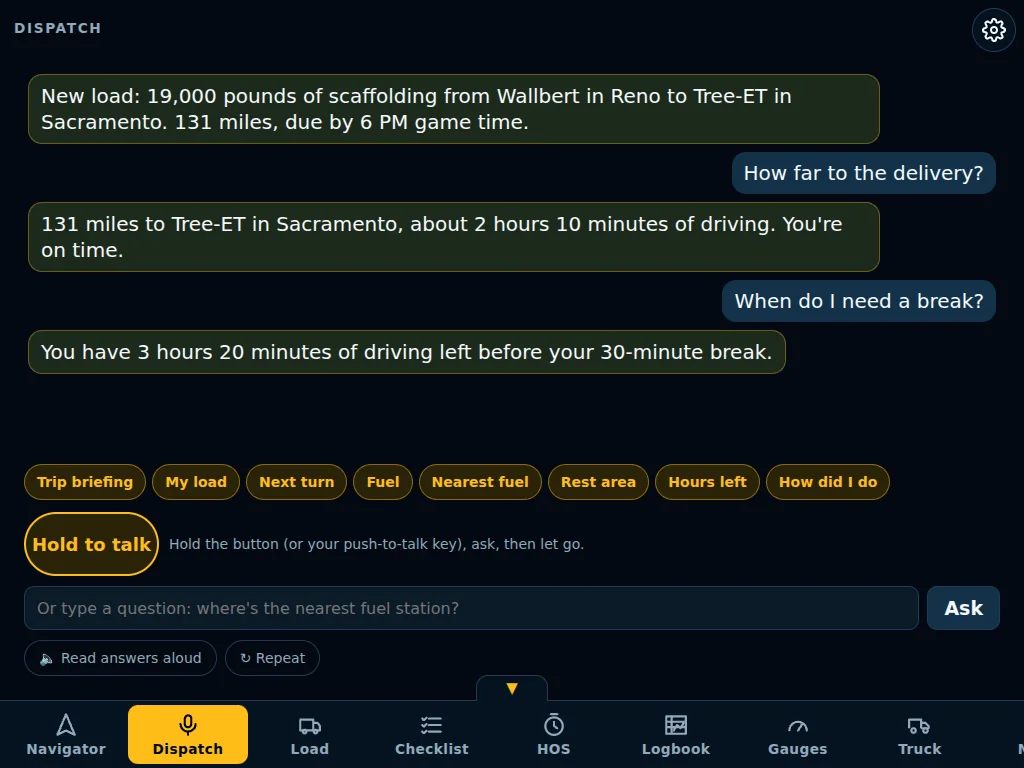
Push-to-talkHow far, when to break, what's next: answered from your live game. -
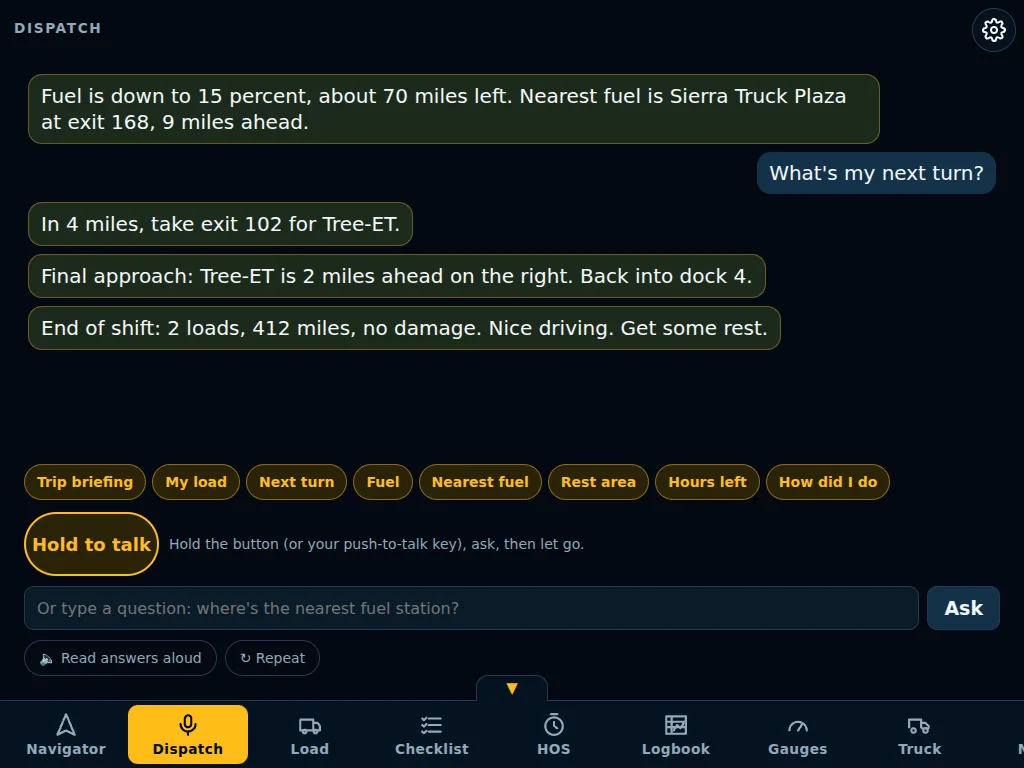
Shadow calls inLow fuel with the nearest fuel stop, final approach and your end-of-shift summary. -
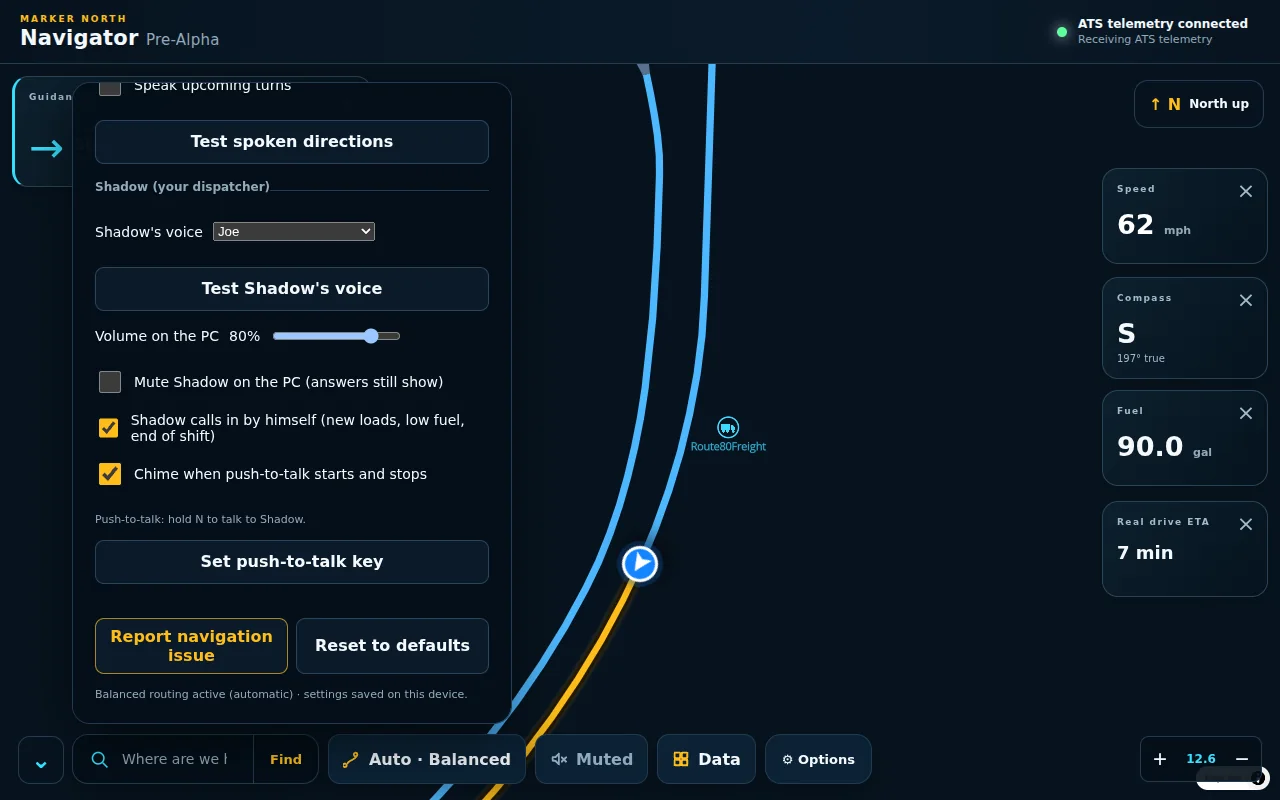
Natural voicesPick Joe, Bryce or Kristin, set your volume and your push-to-talk key.
On your phone or iPad
Navigator in your hand
Pair a phone, iPad or Android tablet and get the same Navigator, with tabs, beside your wheel.
-
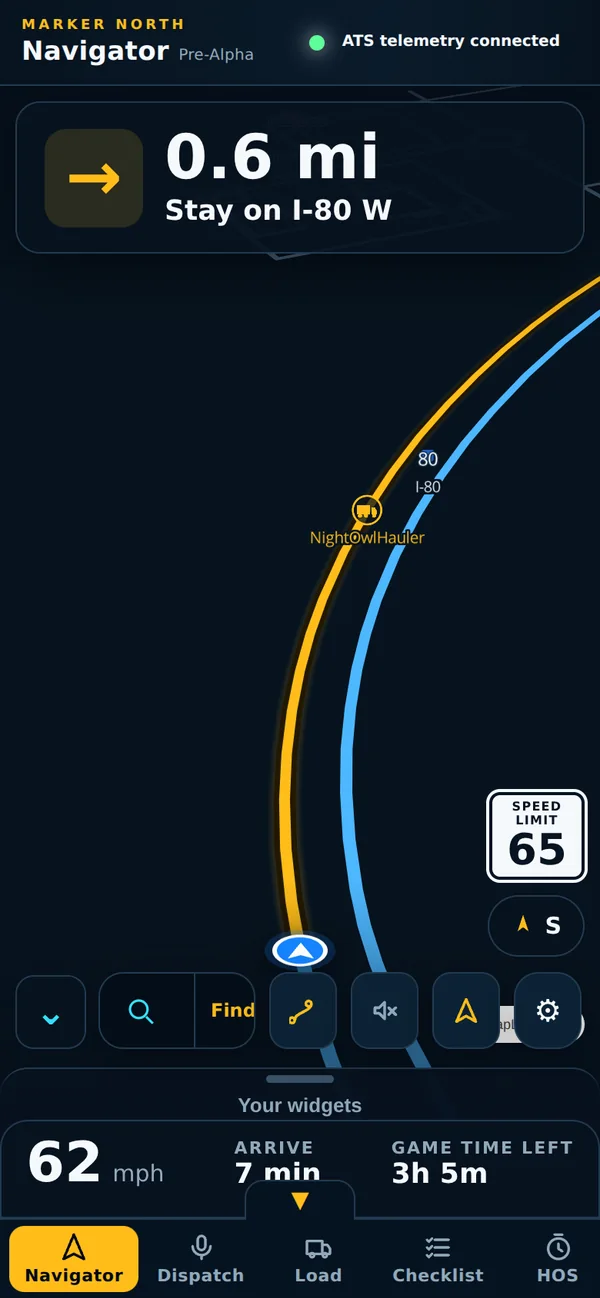
Same NavigatorMap, turns and tabs on your phone. -
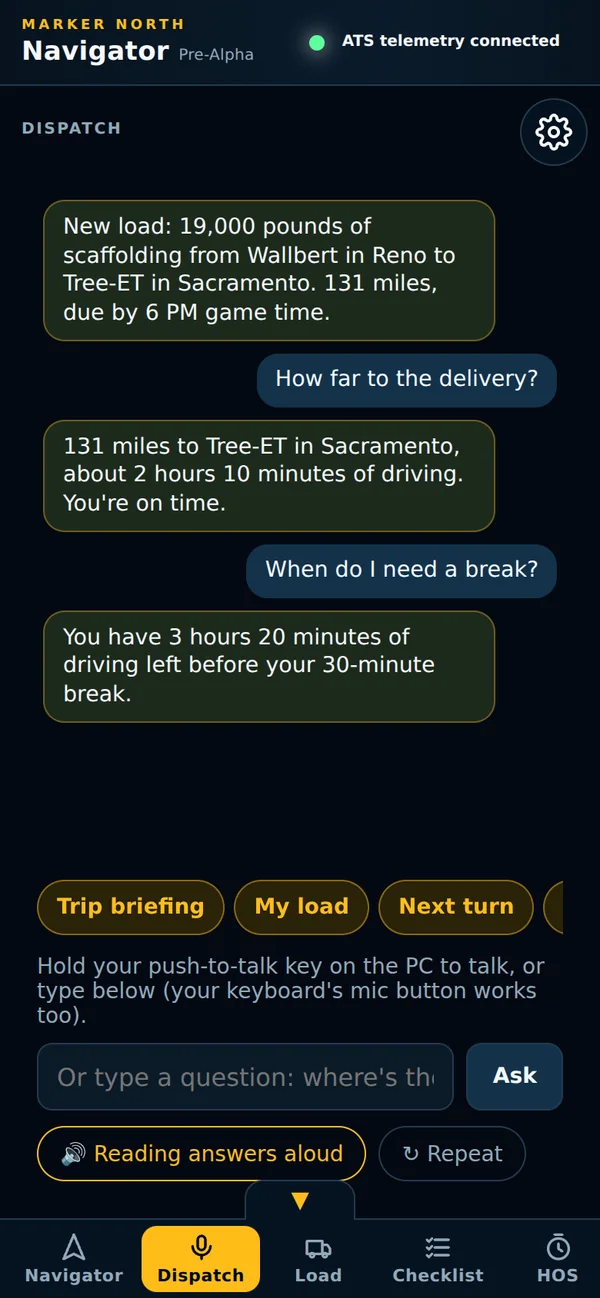
DispatchAnswers read aloud. Type or dictate a question. -
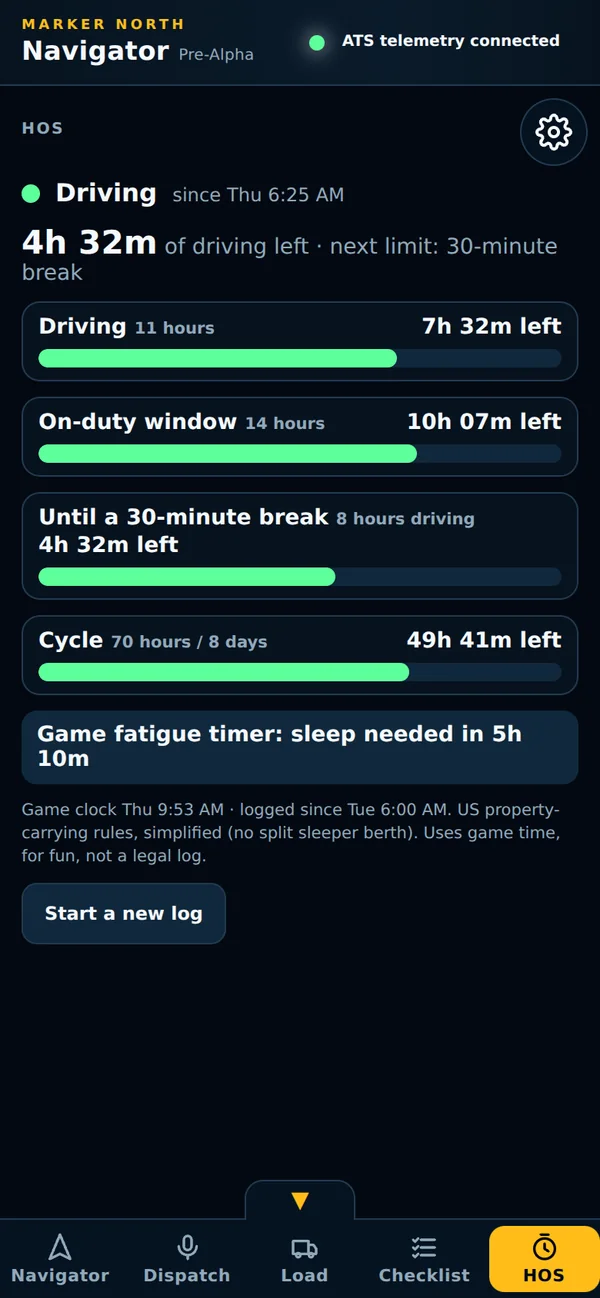
Hours on handYour hours, always one tap away. -
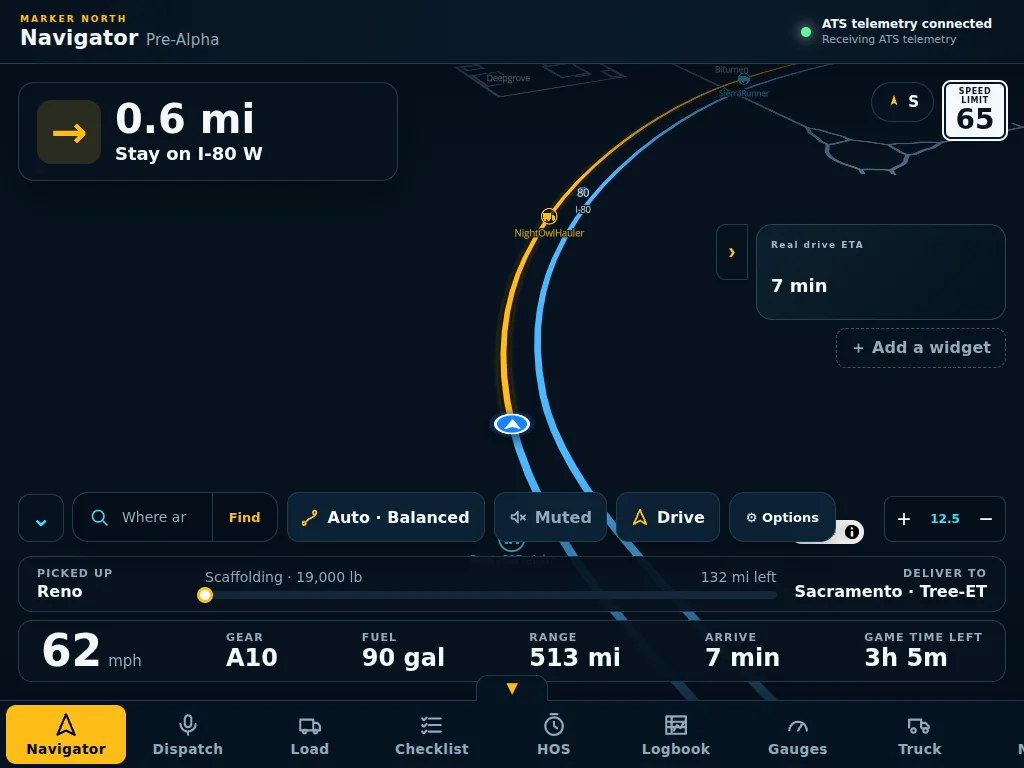
iPad and Android tabletsA big, clear Navigator on the seat beside you.
Checklists, HOS & Logbook
From pre-trip to post-trip
Inspections, hours and a logbook that keep score for every load, all in game time.
-
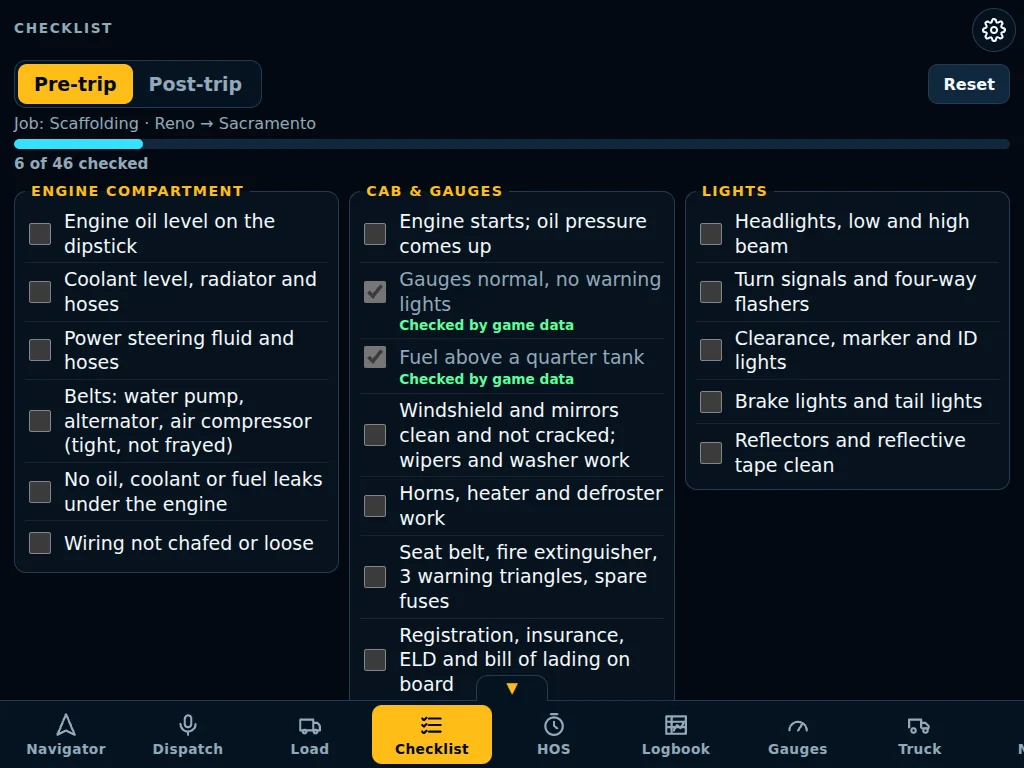
Pre-trip inspectionA real walk-around list. Some items check themselves from the game. -
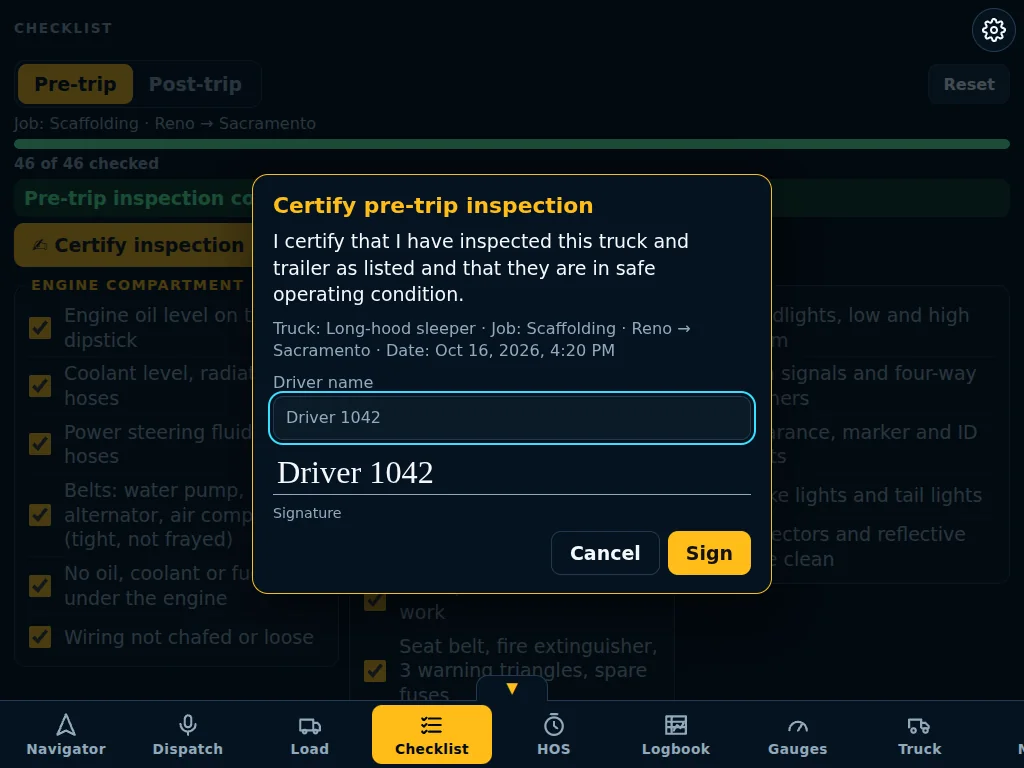
Certify the inspectionType your name and sign. The truck, job and date go on the sheet. -
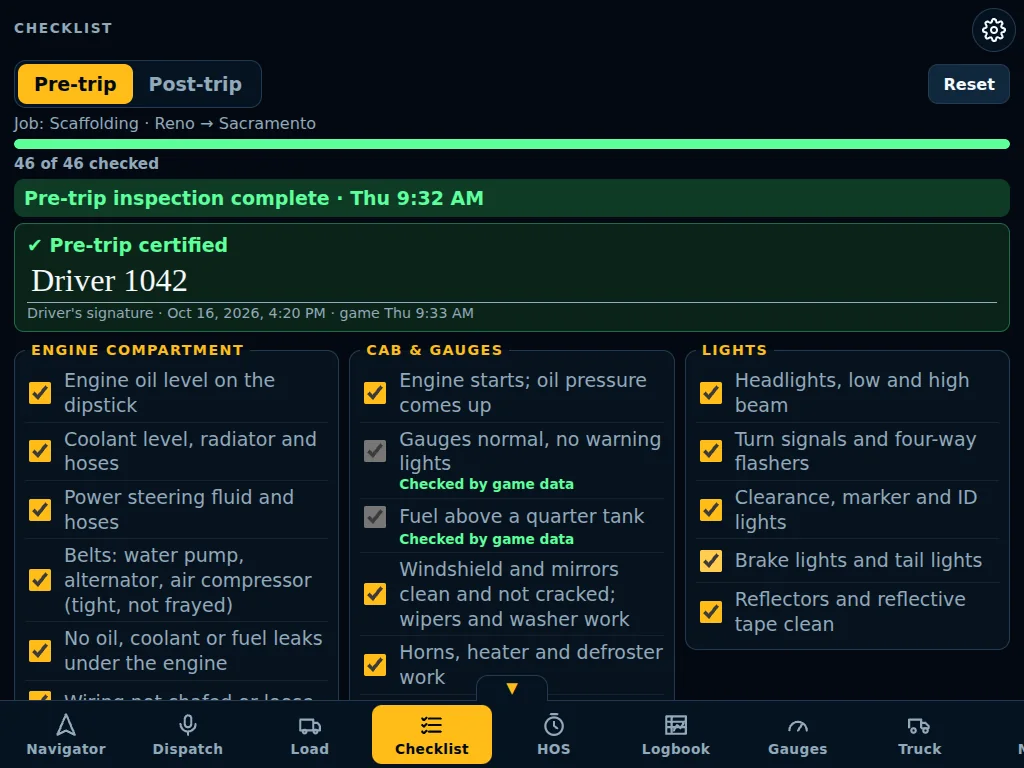
Signed and doneYour signature stays with the inspection, with the date and game time. -
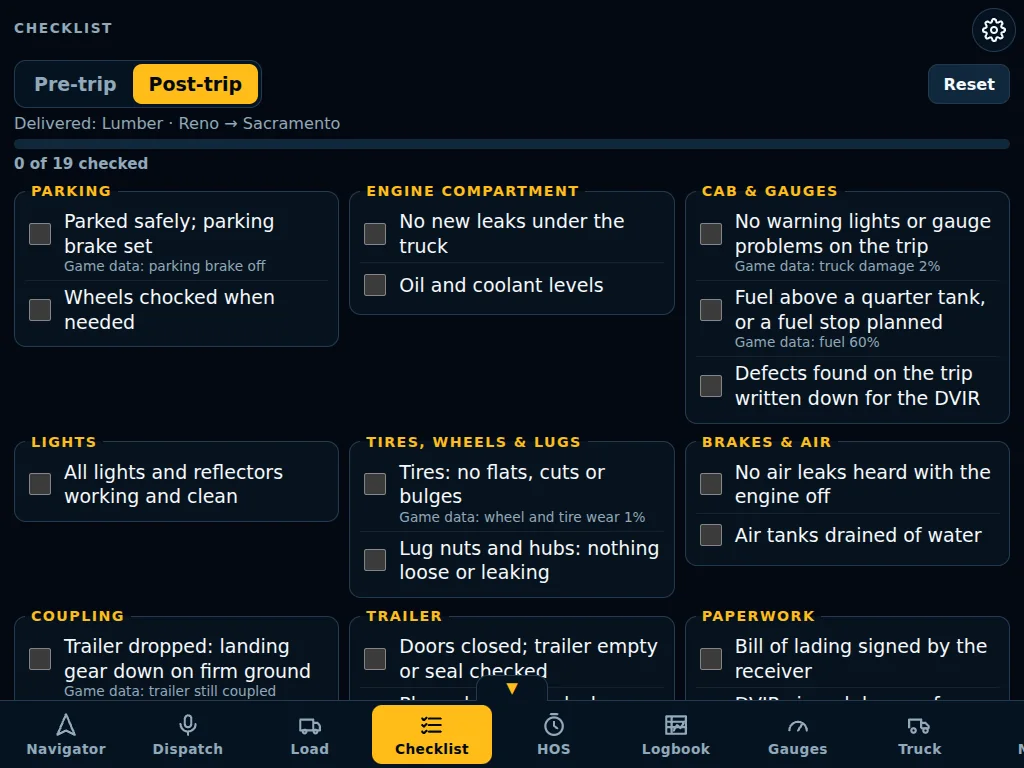
Post-tripPark, check and wrap up the load you just delivered. -
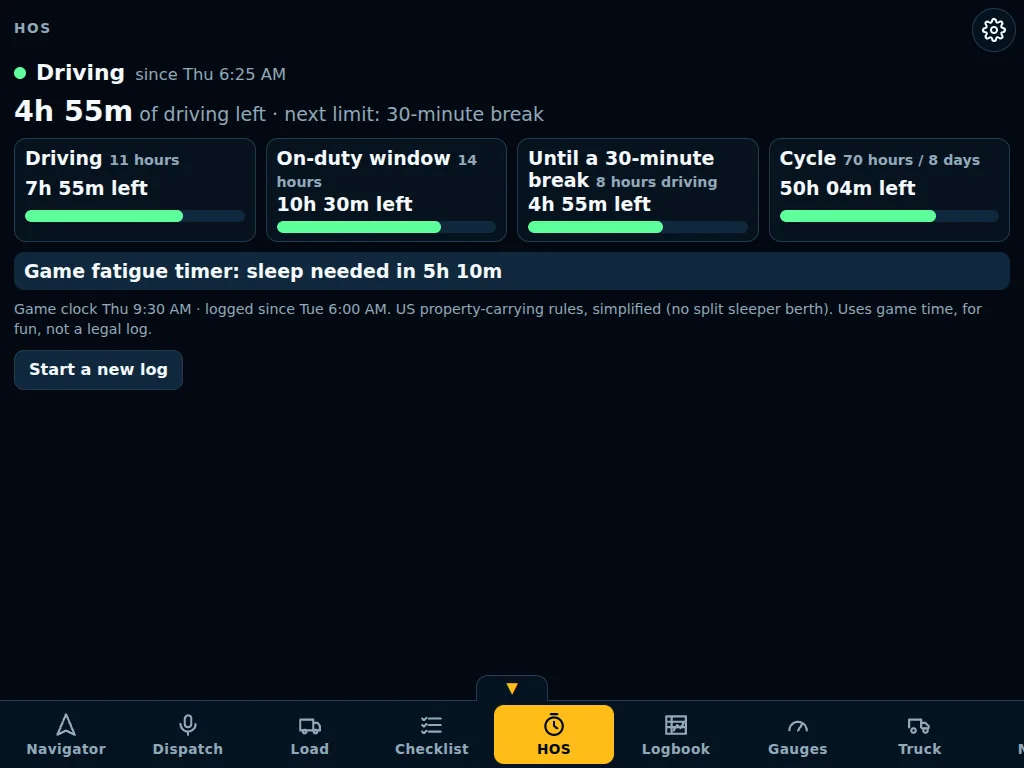
Hours of serviceDriving, on-duty window, break and cycle, counted in game time. -
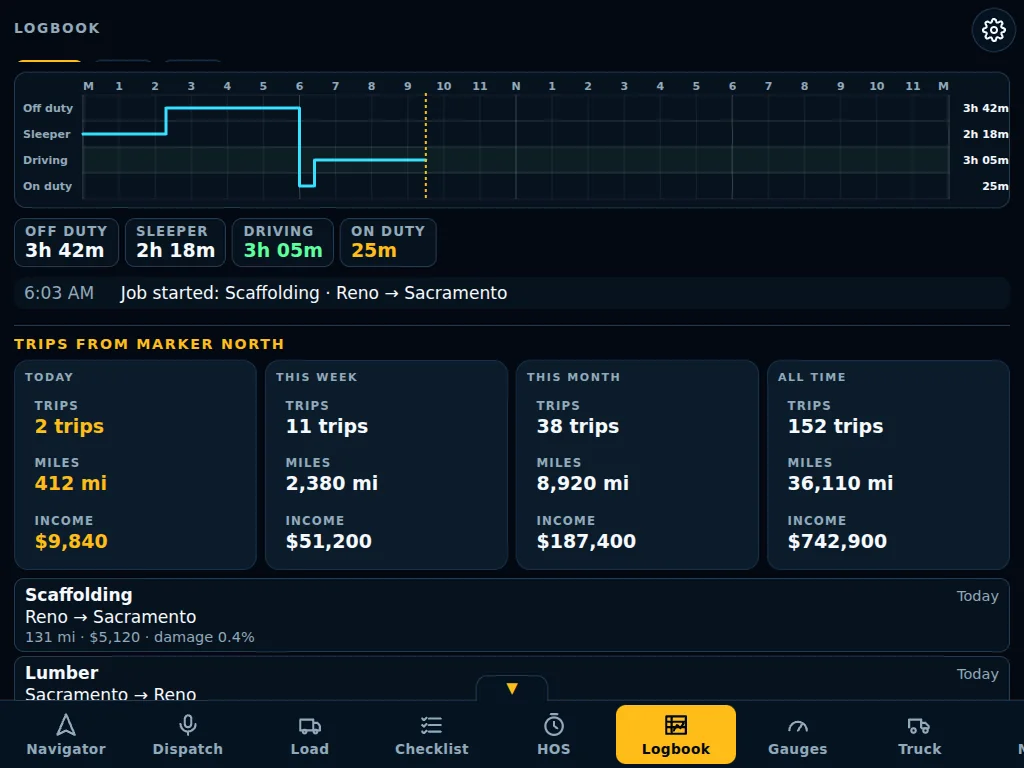
Logbook and trip historyYour day on a graph, plus every trip you've driven with Marker North.
Navigator Pro
Want even more? Navigator Pro
Everything above stays free. Navigator Pro adds a real AI dispatcher and a set of tools for drivers who want to go deeper.
-
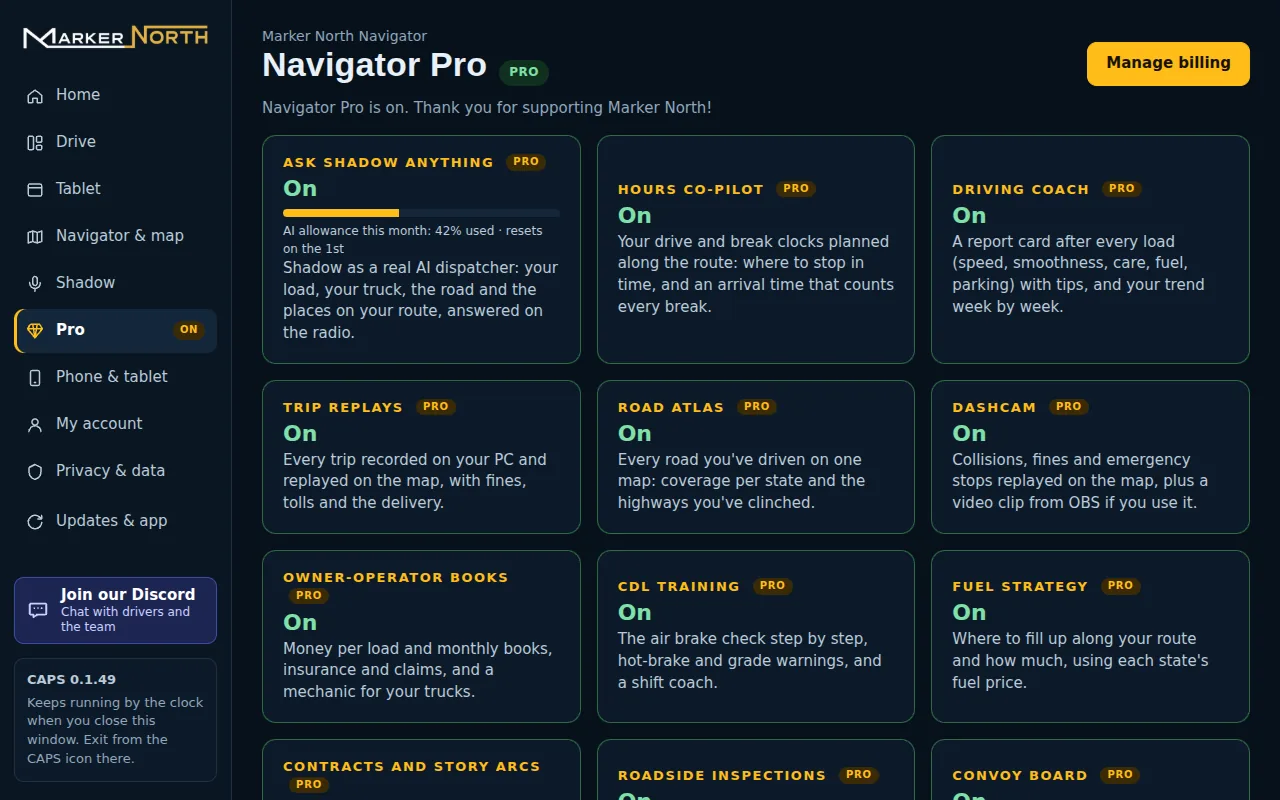
Pro in the HubEvery Pro feature in one place, with your AI allowance for the month. -
What Pro adds One driver, up to two PCs. See Navigator Pro.
Ready to roll?
Marker North is free. Set it up in a few minutes with the manual.